

This is Vol. 11 of the “Overseas Side Business with Zero English” series. Last time (Vol. 10), I shared how the SMS verification for Fine Art America (FAA) simply never arrived, and how, after a two-week battle with support, I finally succeeded in logging in.
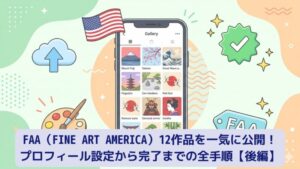
This time is the continuation. From the profile setup after logging in, to actually publishing 12 works all at once — I’ll put the whole flow together!
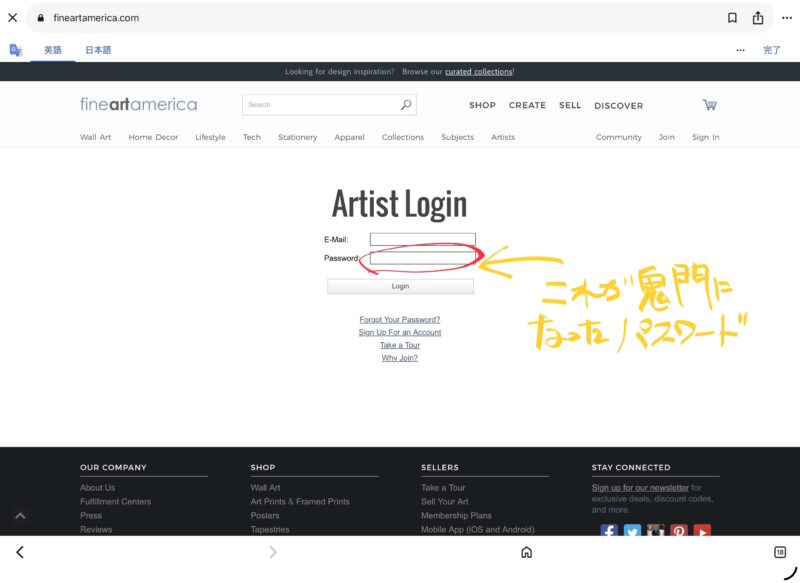
Changing the Temporary Password
When you log in with the temporary password “fineart” sent by support, a password change screen appears first. Enter the same new password in “NEW PASSWORD” and “CONFIRM NEW PASSWORD,” and click “SUBMIT.” With that, the change to your own password is complete.
On overseas services, it seems quite a few people leave the temporary password as it is, but for security I recommend changing it immediately.
Setting Up the Profile
After logging in, set up your profile from the control panel. Here’s what I set this time.
| Setting item | What I entered |
|---|---|
| Profile URL | morirancru (fineartamerica.com/profiles/morirancru) |
| Display name | Ran Mori |
| Website | himemarumo.com |
| Instagram / Twitter | Each account name |
| Biography (profile) | An English self-introduction |
FAA’s profile text can’t be in Japanese, so of course it has to be written in English. …And of course, with zero English, I left it entirely to the AI (laughs).
When I told the AI “I’m a digital artist living in Ehime, Japan, creating works themed on Japanese history, mythology, and Taisho Roman,” it produced a rather grandiose profile text packed with dark romanticism, fusion with Japanese aesthetics, and a mythological worldview.
Honestly, it’s a bit overblown (laughs). But for an overseas audience, this kind of “strong worldview” might hit better.
The Basic Flow of Uploading Works
Once the profile is set, it’s finally time to register works. From the control panel’s “Upload Artwork.” The flow itself is very simple.
- Upload the image file (JPEG recommended)
- Enter the title (English)
- Enter the description (English)
- Enter the tags (English, comma-separated)
- Select the category
- Check the publication settings and hit “Submit”
Yes — every part marked “English” is all AI (laughs). The method is just to screenshot the settings screen and throw it at the AI. Then the AI turns it into plausible English, all the way to titles, descriptions, and tags.
This is truly a god-tier feature. If I had done this the old way — with a translation site in one hand, looking up words one by one and tapping them in — it absolutely never would have finished at this speed.
Publishing 12 Works at Once
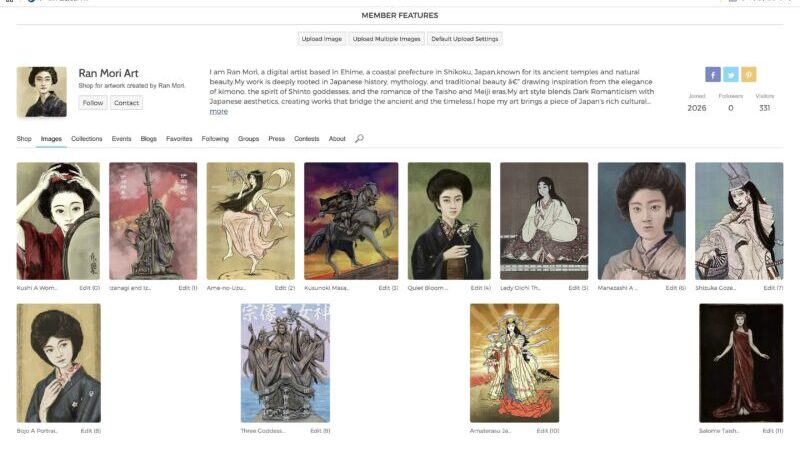
Here are the 12 works I published this time.
- Salome — Taisho Era Debut of a Western Opera (my signature work)
- Amaterasu — Japanese Goddess of the Sun
- Three Goddesses of Munakata
- Bojo — A Portrait of Longing in Taisho Japan
- Manazashi — A Gaze from Taisho Romantic Japan
- Shizuka Gozen — The Warrior Dancer
- Lady Oichi — The Tragic Beauty
- Quiet Bloom — A Woman in Kimono
- Kusunoki Masashige — The Loyal Samurai
- Ame-no-Uzume — The Dancing Goddess
- Izanagi and Izanami — The Creator Gods
- Kushi — A Woman and Her Mirror
For each work you have to enter an “English title,” “English description,” and “English tags,” but this too was a collaboration with the AI. As a result, I completed publishing all 12 works in just under an hour. If I had done it with translation tools alone, it probably would have taken hours.
The Moment 12 Works Lined Up in the Gallery
After publishing the last one, “Kushi,” I opened the gallery page. There, works themed on Japanese mythology, Japanese history, and Taisho Roman were lined up in a row, with English titles.
Counting from the day I got stuck on SMS verification, it’s about two weeks to this point. At the time I thought “maybe it’s impossible,” but when it takes shape like this, it feels deeply moving.
FAA gallery URL: fineartamerica.com/profiles/morirancru
Setting the Profile Image, Too
Finally, I also set the profile image. I chose a profile of a woman in a deep blue kimono. Among the Taisho Roman series, it’s a work where I especially feel “quietness” and “depth,” and I judged it just right as the face of the artist page.
(By the way, the person inside is a man, laughs.)

Aside: Are There Any Japanese Artists Registered on FAA?
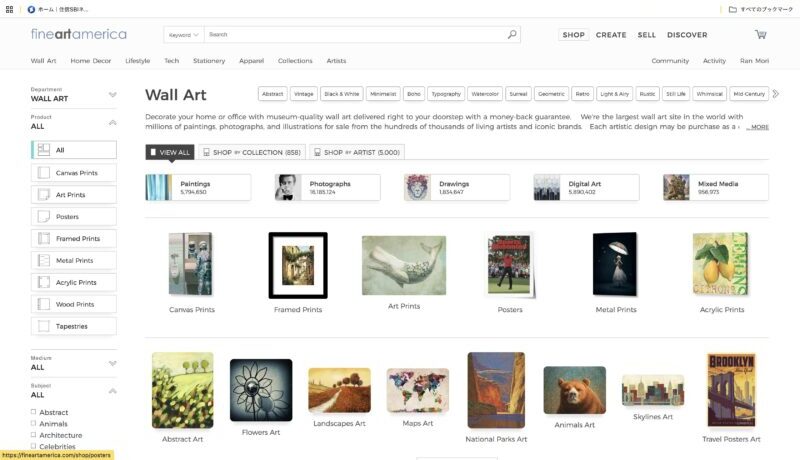
After completing registration, I suddenly got curious and looked into it. “How many other Japanese artists are registered on FAA?”
As a result, I found almost no Japanese-language registration experience reports. FAA has a “Japanese paintings” category, with artists on the scale of several thousand registered. However, most of them are “overseas artists who paint Japan as a theme.” Examples of Japanese artists actually based in Japan being active were, as far as I could find, quite few.
Of course, I don’t think “I’m the first” (laughs). Still, an article describing the registration experience in this much detail in Japanese does seem quite rare.
The experience of being stuck on SMS verification for two weeks is now completely blog material. I’m glad I didn’t give up and kept going.
The big comparison of 5 overseas platforms is here
Summary: FAA Is a Platform Like This
Summarizing my impressions of trying FAA, it’s like this.
- You can register and start selling without a review
- A rich product lineup: of course canvas prints and framed posters, but also “metal prints,” printed directly on metal plates like aluminum or iron. They’re not very familiar in Japan, but in the West they’re a popular product as interior art for walls.
- Registering from Japan can get stuck on SMS verification (solvable through support)
- Titles, descriptions, and tags must be in English
- With AI, even zero English is perfectly manageable!! ← This may be the most important point
- Few Japanese artist competitors — there’s a first-mover advantage
Next time: about one month since starting my overseas side business. I’m now registered on four platforms — how much revenue did I actually make? I’ll share the real results, all honestly. …Please read it with a smile (laughs). Look forward to it!
Next: The Story of the First Result, When Zero Moved after One Month
Also recommended: “My Two-Week Battle to Register on FAA (Part 1)”
Next: About One Month After Registering: Zero Moved






Comments