

As places to sell my illustrations overseas, I had gradually expanded to INPRNT, FAA, Redbubble, Displate, and Fiverr.
And this time, my new challenge is Zazzle.
Previous: Why 1,658 FAA visitors still brought no sales, is here
What Kind of Service Is Zazzle?
Zazzle is an overseas marketplace that began in California, USA, in 2005.
You can take illustrations and designs you created and sell them applied to all sorts of products — T-shirts, posters, stickers, mugs, phone cases, and more.
Its feature is that instead of manufacturing and shipping products yourself, you combine your designs with Zazzle’s products and sell them.
It can be used from Japan, too, so as a place to sell my illustrations overseas, it had caught my interest for a long time.
But —.
In fact, Zazzle had been “on hold” for me from the very beginning.
The reason was very simple.
The confirmation email never arrived.
No matter how many times I resent it, it never came.
Not even in my spam folder.
And so, four months passed (lol).
This time, I took on Zazzle again after a long break.
There was no special trick.
To give the conclusion first,
“I tried once more — and this time, it arrived.”
That anticlimactic result is what happened.
What you’ll learn in this article
- Why Zazzle stayed stuck for four months
- How the “confirmation email never arrives” problem was settled
- The surprising rule that tripped me up when entering the store name
- One way of thinking to try when an overseas platform isn’t working
① First, Logging In
From Zazzle‘s top page, “Sign in.”
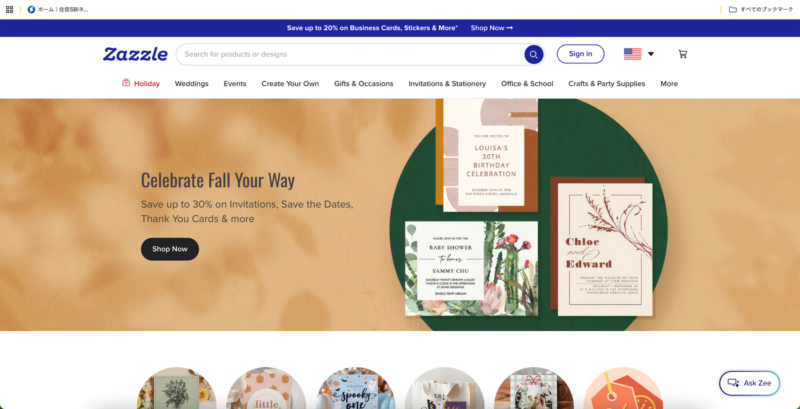
Zazzle’s top page. From here, to “Sign in.”
At first, instead of Google sign-in, I tried to proceed with an email address and password.
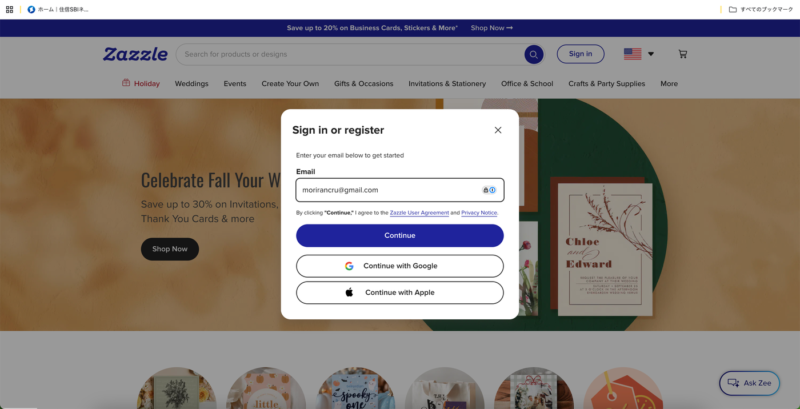
I entered my email address, and the “Continue” button became pressable.
But pressing “Continue” didn’t change the screen.
No matter how many times I pressed it, the same thing (lol).
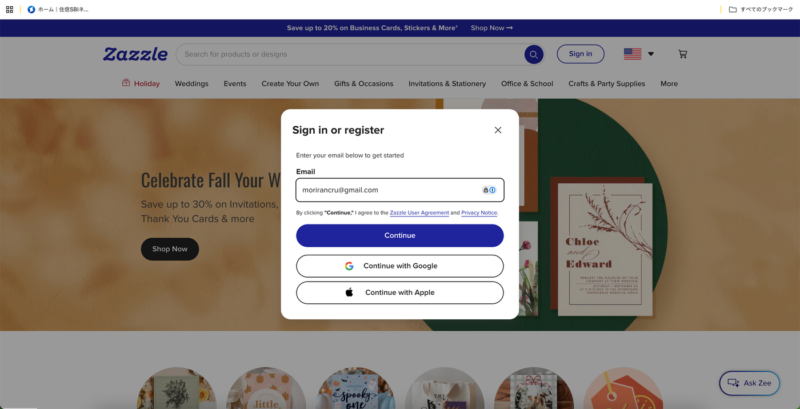
No matter how many times I pressed it, the same screen stayed.
Looking closely, this email address was already registered with Zazzle — as the Google account I had created before.
I finally noticed when I saw the “Welcome back” display.
So, obediently, I went with Google sign-in.
And I was signed in safely.
“morirancru / Member since 2026”
The account itself was alive and well.
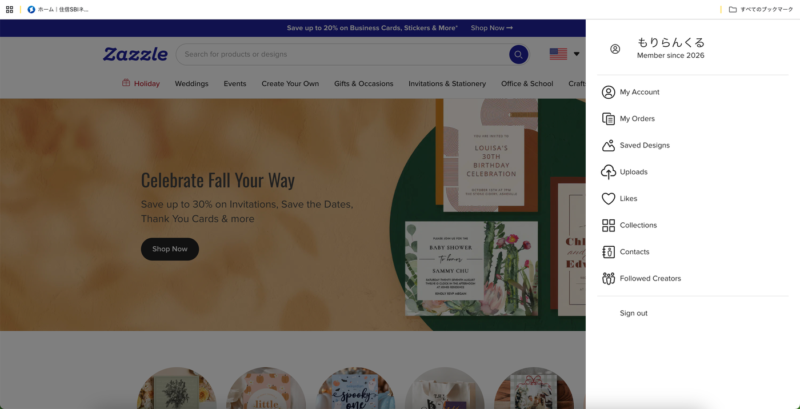
The “morirancru / Member since 2026” display. The account was properly alive.
② And Then, That “Confirmation Email” Wall
Now that I could sign in, I moved on to opening a store.
Open New Store → Continue
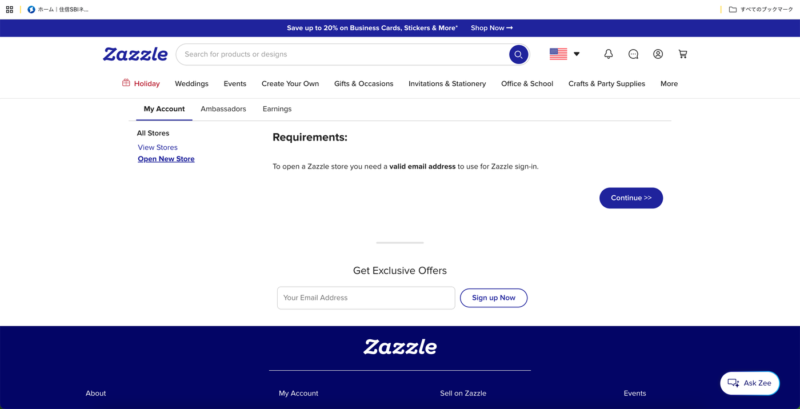
The “Open New Store” guidance screen. From here, I pressed “Continue.”
And then, there it was again.
Check your email
Yes.
Four months ago, I couldn’t get any further than this.
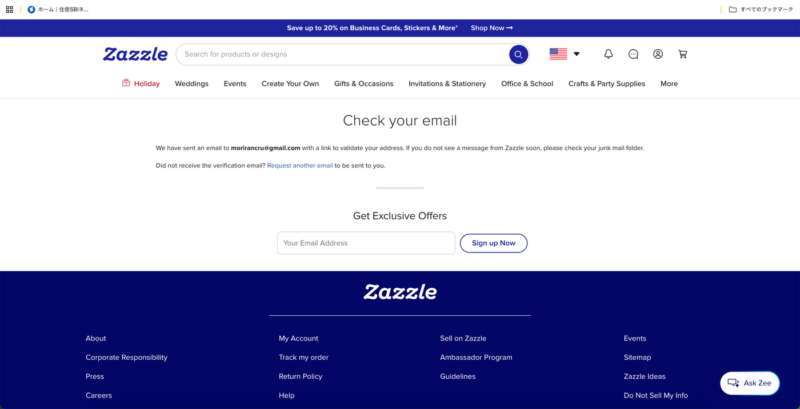
“Check your email.” The very screen I once couldn’t get past, no matter how many days I waited.
“Will it fail again this time…?”
Thinking that, I checked Gmail.
And then —
It was there!
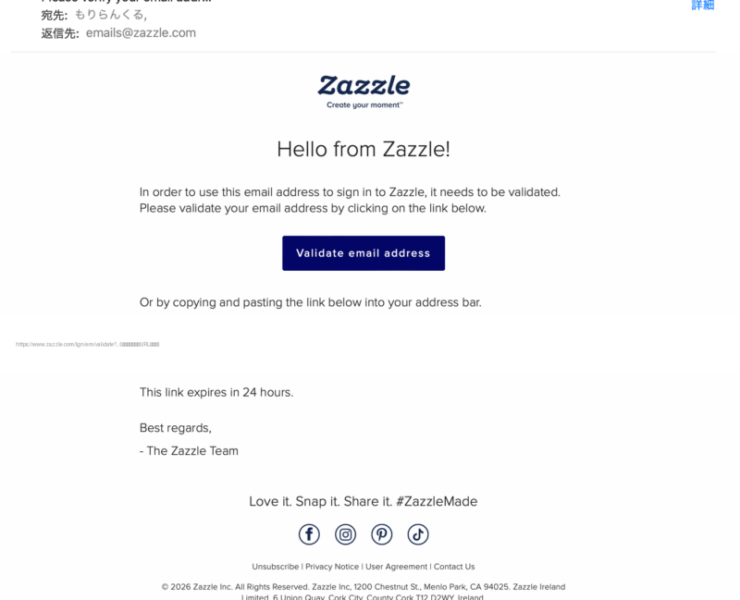
This time, Zazzle’s confirmation email arrived properly (for security, the link in the email body is hidden in the image).
I hadn’t changed any special settings.
The same Google account.
The same email address.
And yet, this time it simply arrived (lol).
Clicking “Validate email address” in the email,
brought up the display:
“Your email address is now verified.”
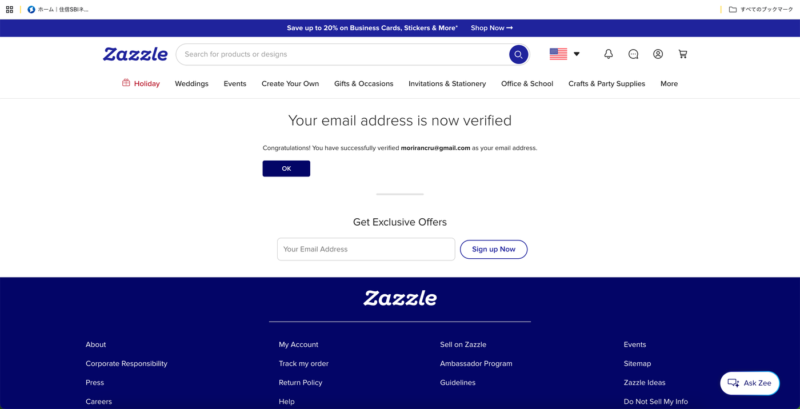
“Your email address is now verified.” This was the first time I had ever gotten this far.
Finally, a breakthrough.
The four-month battle was settled here.
③ Next, a Small Stumble over the Store Name
Having broken through verification, next was the store name.
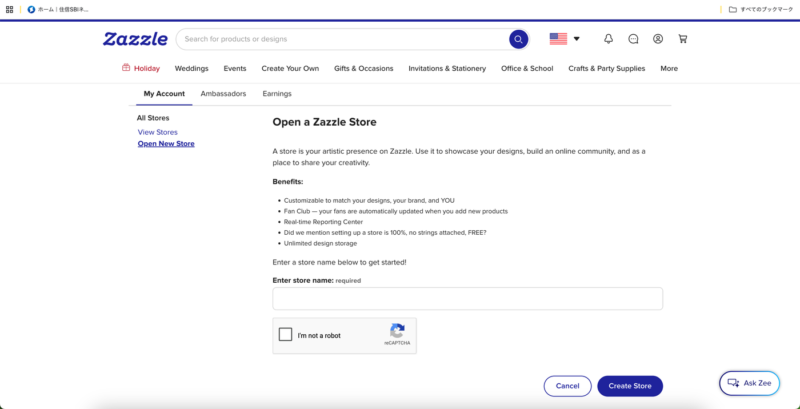
“Open a Zazzle Store.” I thought I just had to enter a name I liked here… but no.
Here, too, there was a small wall.
Store names have a rule:
only alphanumeric characters and underscores, 6 to 20 characters.
A name containing a space gives an error.
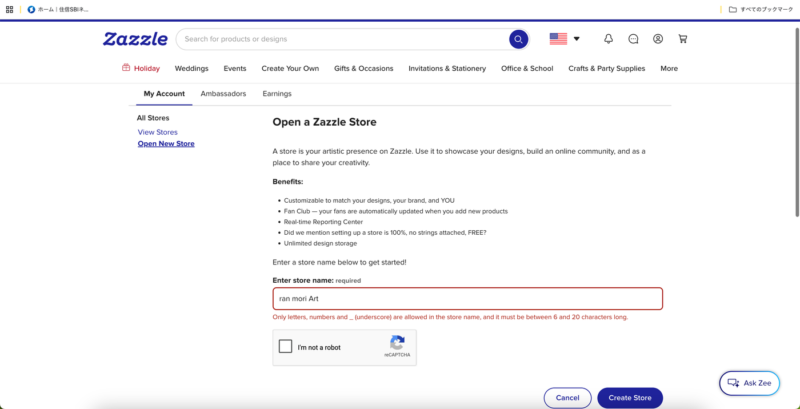
An error, for a name with a space in it.
So, matching the name I use on FAA and elsewhere, I changed it to
“RanMoriArt”
This time, it passed safely.
By the way, it’s “RanMori,” not “Ran Mori.”
“Running Mori” (lol).
Originally, the name “Ran Mori” (蘭来) is both a shortening of my brand name “morirancru” and carries an image: painting my way through the eras, as if running from Taisho into Showa.
As a Zazzle store name, that momentum of “Ran” ended up spelled out just as it is, quite unexpectedly.
I arrived safely at the store management screen.
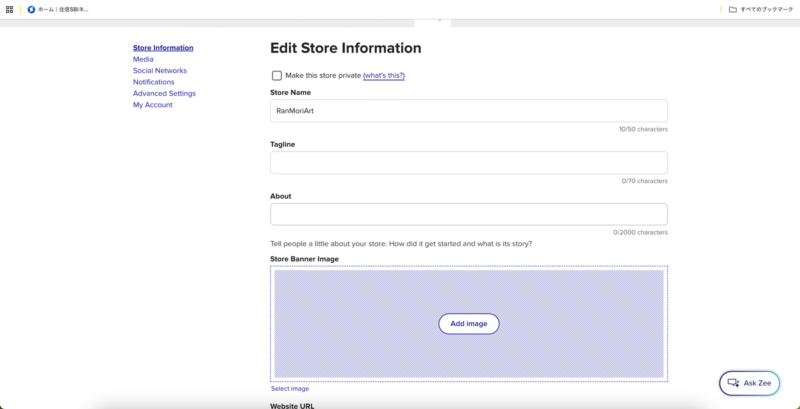
Registered safely with the store name “RanMoriArt.” From here, I’ll arrange the store information.
④ Entering the Profile
Next, I entered things like
Tagline
About
Website
Tags
City / State / Country
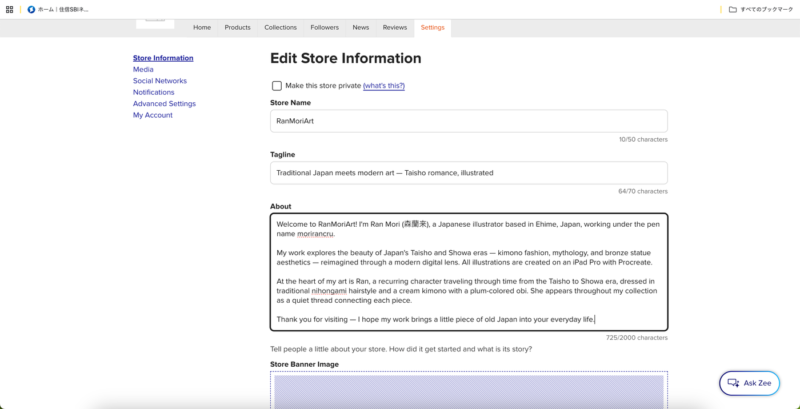
I entered the Tagline and the About self-introduction.
For Website, I set my blog’s URL.
For my location, I used
Matsuyama / Ehime / Japan.
In my profile, I wrote about works themed on the Japanese culture of Taisho and Showa, and the nostalgia felt from it.
Since it’s aimed overseas, here too I was conscious of expressions that convey “Japaneseness.”
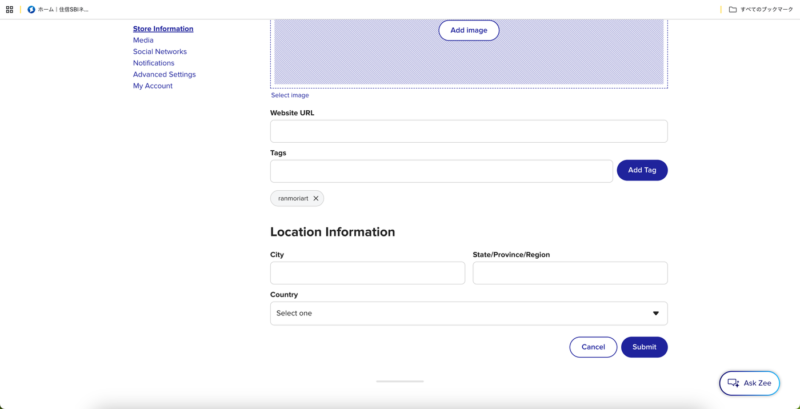
The entry screen for Website URL, Tags, and location (City / State / Country).
⑤ And Finally…
At last, I clicked “Submit.”
And then —
You’ve successfully created your store.
There it was!
Zazzle store: OPEN!!!!!!!!!
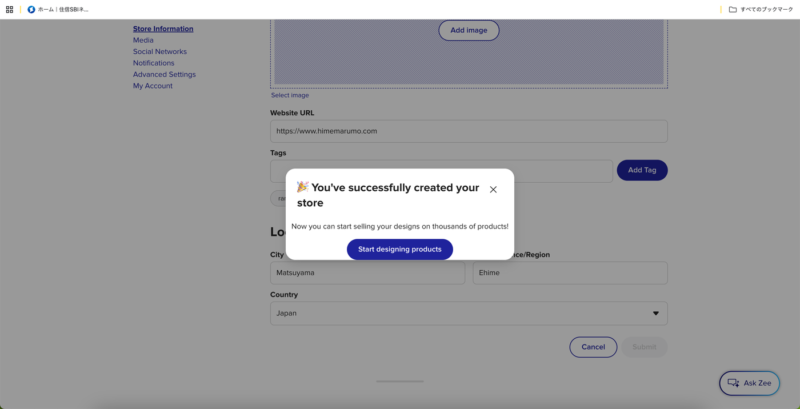
“You’ve successfully created your store.” I had finally broken through the four-month wall.
Four months ago, the confirmation email never arrived and I was completely stuck; at last, I could move forward from there.
This Time’s Lesson

What I felt most this time was that
“an overseas platform not working does not necessarily mean my way of doing it is wrong.”
Of course, investigating the cause is important too, but when it truly won’t resolve,
wait a while, and try once more.
That, too, may be one valid method.
Sometimes, things you couldn’t see while panicking become, after some time, “Oh — it was right here!” (lol).
The other thing is the small input rules, like store names and tags.
If you check the character counts and usable characters in advance, you won’t lose the momentum of having just broken through verification.
Now I Have One More Place to Sell
With this,
FAA
Redbubble
Displate
Fiverr
Zazzle
— my places to sell overseas have grown by one.
…That said,
there still isn’t a single work on Zazzle yet (lol).
Next, I’ll finally upload actual designs.
Four months, just to reach the starting line.
Zero overseas sales so far — but my registration record is exploding!!
The five overseas platform comparison roundup is here
Continued: How to register products on Zazzle — and the image trap, is here (in Japanese)
Next: How to List Products on Zazzle

Comments