

In my previous article (Vol. 15), I honestly wrote this:
“Redbubble alone has stayed at zero — not just sales, but visitors too.”
My works should have been published, yet nobody was seeing them.
And at the end, I closed with:
“My shop had been in an unpublished state. I’ll write the cause in detail next time.”
This time, that cause has finally been identified, so I’ll report it.
To give the conclusion first —
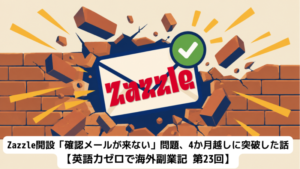
The cause of my shop, which should have been registered, being unpublished for about a month and a half was that the “payment settings” were incomplete.
The Shocking Fact
In fact, on Redbubble, there are cases where just uploading works does not make your shop public to the outside.
After registering my works, I saw them displayed properly in the dashboard preview, so I naturally assumed they were published.
But in reality, because the payment method setting (PayPal or bank account) was not completed, the shop itself could not be viewed from outside.
In other words:
- The 13 works had been registered without any problem.
- In the dashboard, they looked published.
- But when accessed from outside, the shop was not displayed.
For about a month and a half, I had been lining up works in a state where nobody could see them.
The reason for zero access was neither the quality of my works nor the tags.
Nobody could see them in the first place.
The moment I realized this fact, I honestly felt like collapsing to my knees (laughs).
| Where you check | How it looks |
|---|---|
| My dashboard (logged in) | ✅ 13 works, displayed normally |
| Outside (logged out) | ❌ The shop itself is hidden |
Why I Didn’t Notice
This will sound like an excuse, but on FAA and INPRNT, which I had used until then, registering works publishes the shop as-is.
So I completely assumed:
“Redbubble must work the same way.”
Moreover, in Redbubble’s dashboard, the work list and edit screens display normally.
Because of that, I couldn’t easily notice the strangeness of “the shop itself being unpublished.”
During this month and a half, I kept repeating misdirected improvements:
“Maybe the tags are bad?”
“Let me try changing the categories.”
Now that I think about it, they were completely off the mark.
How I Noticed
Register works
↓
Looks “published” in the dashboard
↓
Misdirected improvements to tags and categories (about a month and a half)
↓
Find the line “incomplete payment settings → unpublished” on the help page
↓
Complete the payment settings → confirm publication
Late at night on July 2.
I was reading Redbubble’s help pages again from the beginning.
Then I found a statement to the effect of:
“If your Payment Details are incomplete, your shop will be unpublished.”
Without thinking, I exclaimed:
“Eh, tell me something that important from the start….”
…And in my heart, I wanted to add:
“AI, you notice it too!”
(laughs).
When I immediately checked the settings screen, sure enough, the payment method was still unset.
Right there, I registered PayPal and completed the payment settings.
By the way, the PayPal registration also involved a bit of struggle, but that story is long, so I’ll introduce it in detail in the next article.
I Checked Whether It Was Really Published
The next morning after finishing the settings (July 3).
Just to be sure, from a separate browser where I wasn’t logged in, I accessed
redbubble.com/people/morirancru/shop
Then, 16 works were displayed properly, in a state anyone could view.
At last, the moment my shop was published in the true sense.
Key point
While logged in with your own account, you may not be able to correctly check the public status.
I recommend always checking while logged out, in a private window, or in a different browser.
What I Learned in This Month and a Half
What I keenly felt from this incident is:
“Assuming it’s published” and “actually being published” are completely different things.
Even if the dashboard is normal, how it appears from outside is a separate issue.
This may be the same not only for Redbubble, but also for FAA, INPRNT, Fiverr, and even blog management.
Don’t just assume “I can see it, so it’s fine.”
Check once while logged out.
I realized there are mistakes that can be prevented by just that.
Next: PayPal Registration and the True Identity of the Bank Problem
The big comparison of 5 overseas platforms is here
Summary
📝 Checkpoints this time
- On Redbubble, in my case the shop was published after the payment settings were completed
- The dashboard alone cannot judge the public status
- Checking publication while logged out or in a different browser is reliable
Honestly, I was quite depressed about spinning my wheels for a month and a half.
Even so, now that the cause is known, I can finally move forward.
With this, Redbubble too has finally reached the real starting line.
Next time, I’ll introduce the points where I actually stumbled during PayPal registration, and how they were solved.
From now on, hiding neither success nor failure — embarrassingly, laughs — I’ll keep sharing the real record of my overseas side business.




Comments